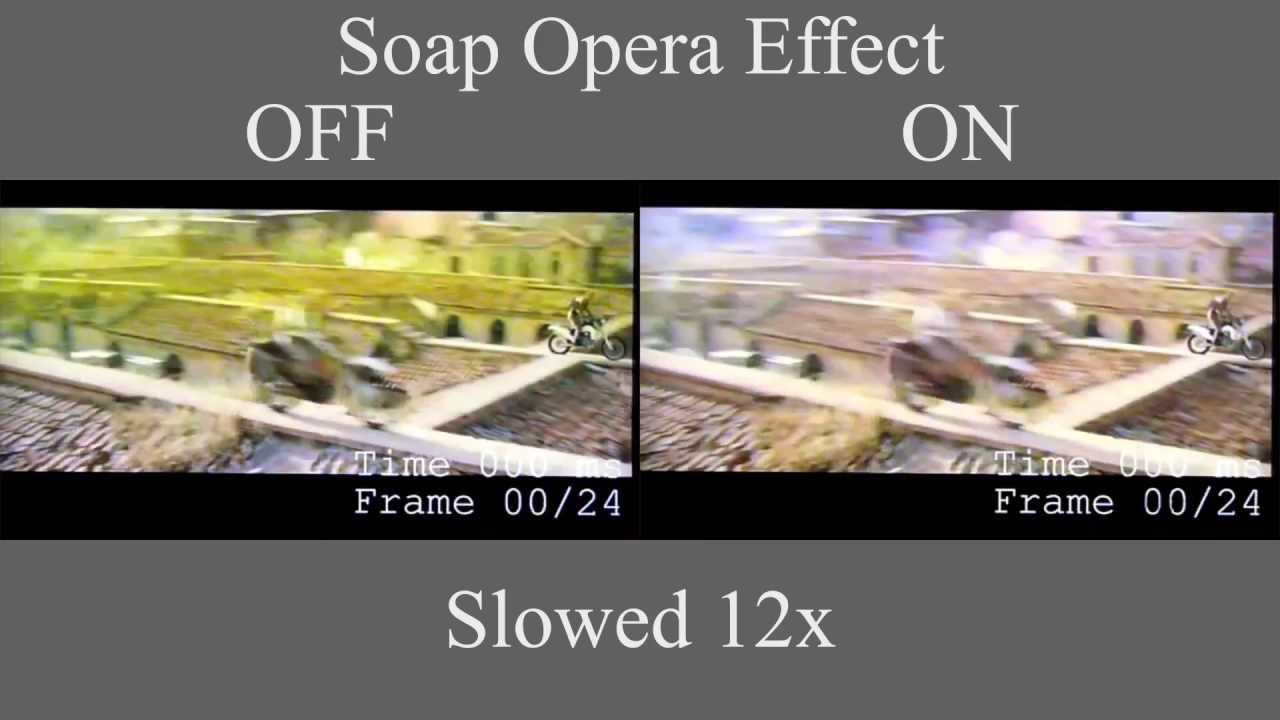
Why the Soap Opera Effect on TVs Still Doesn’t Matter
The phrase "soap opera effect" sparks more fury among cinephiles than almost any other consumer TV feature. It promises to make motion smoother and clearer, and yet it is accused of turning feature films into daytime melodramas. It is, in short, a polarizing marketing checkbox that sounds like it should be a big deal — but for most viewers it quietly sits in a menu they never touch. This article unpacks why motion smoothing exists, how it works, when it improves the picture and when it wrecks the intended look, and ultimately why so many people — for reasons both technical and human — don’t care enough to change their settings.

motion smoothing on TV
WHAT MOTION SMOOTHING IS, IN PLAIN TERMS
The basic idea
Motion smoothing refers to a set of image-processing techniques on modern TVs that insert or synthesize frames between the original frames of a video to reduce perceived stutter, blur, or judder. Makers call it words like "motion interpolation" or brand names like MotionFlow, TruMotion, or Auto Motion Plus. For a 24 frames-per-second (fps) movie, interpolation creates intermediate frames so that motion appears to flow more continuously on displays that update at higher refresh rates such as 60Hz or 120Hz.
motion interpolation diagram
What it actually does
The TV analyzes successive frames, estimates object motion, and synthesizes new frames (or alters scanning patterns) to reduce the percept of jumpy motion. The techniques vary: some TVs insert purely interpolated frames, others use black-frame insertion or backlight strobing to reduce perceived blur, and some do combinations. The common result is a smoother apparent motion — which some viewers love for certain content, and others hate for everything else.
WHY FILMMAKERS AND VIEWERS FIGHT ABOUT IT
The "cinematic look" vs. hyper-realism
Most modern films are shot at 24fps, a cadence that has become part of the cinematic language. That frame rate produces a particular amount of motion blur and judder that audiences have associated with "film." Motion smoothing removes some of that blur, producing a hyper‑clear, ultra-smooth look that makes sets, make-up, and movement look different — often described as "video" or "soap opera." Directors argue it betrays the filmmaker’s intent; viewers who grew up with film often prefer the original cadence.
24fps cinematic film
When smoothing helps — and why it still divides people
There are cases where motion smoothing objectively helps. Sports, news, and handheld news footage often contain rapid motion and camera pans where interpolation can deliver clearer tracking and easier-to-follow movement. At the same time, the very same processing that helps sport can make a period drama look unnaturally modern.

sports broadcast TV motion
Most people don’t fiddle with motion settings because they either don’t notice a problem or don’t want to learn another menu.
THE TECH BEHIND THE EFFECT — WHAT YOU NEED TO KNOW
Frame rates, refresh rates and conversion
Television displays refresh at rates like 60Hz or 120Hz, meaning they redraw the image that many times per second. Films at 24fps must be mapped onto those refresh rates. Historically that mapping introduced judder — uneven motion due to non-integer relationships between source frame rate and display refresh. Motion smoothing tries to synthesize or interpolate frames so motion appears more even across refresh cycles.
Game Mode TV settings
Motion estimation and artifact risks
Interpolation relies on motion estimation algorithms that try to guess where pixels should be. Those algorithms are not perfect. Fast motion, complex textures, motion through smoke or fog, and rapid camera pans can confuse the processor. The result can be warping, flicker, or "soap opera" artifacts like trailing edges, extra sharpening halos, or weird warps around moving objects.
Cinema Filmmaker Mode TV
WHY MOST VIEWERS DON’T BOTHER
Default settings and inertia
One major reason people don’t change motion smoothing settings is inertia. TVs ship with manufacturer defaults tuned to look bright and punchy on store floors. Those defaults often include some level of motion processing because it looks impressive on demo footage. Most consumers use the TV like a black box: unbox, plug in, stream. Few read manuals, and many streaming apps don’t surface advanced video options at playback. So the smoothing sits quietly applied to much of what people watch.
Perceptual thresholds — if you don’t notice, you won’t care
Human vision and preferences vary. A lot of people simply don’t detect the difference on the shows they watch — especially when the show’s pace, screen size, viewing distance, or ambient lighting reduce the visibility of artifacts. On smaller screens, or when watching from the couch instead of scrutinizing pixels up close, smoothing is less noticeable.
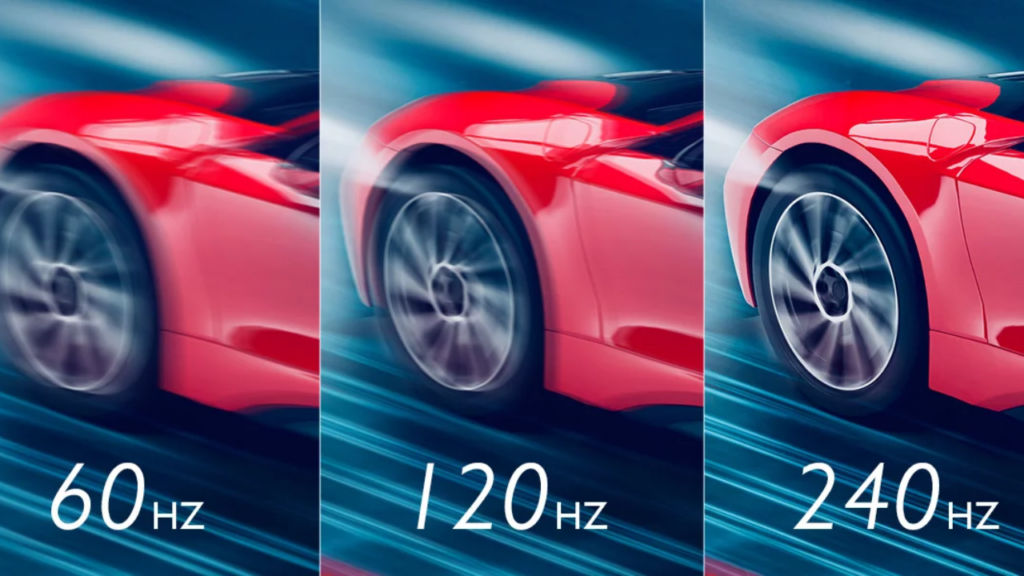
refresh rate 120Hz display
Complexity and choice fatigue
Changing motion settings is another decision in an already crowded world of streaming choices, resolution options, HDR toggles, and soundbars. For many, it’s not worth the time to learn how to enable or disable a feature that may only be relevant to a few programs. Choice fatigue and the desire for a "it just works" experience push people to accept defaults.
OLED TV panel
PRACTICAL GUIDANCE: WHEN TO USE IT, WHEN TO TURN IT OFF
Quick rules of thumb
If you want a simple, memorable checklist for your TV settings, try these rules:
- Turn it off for movies and dramas: If you value the cinematic look and watch a lot of movies at home, keep motion smoothing off.
- Consider it for sports and live events: For fast action — soccer, tennis, motor racing — smoothing can make the motion easier to follow.
- Beware for retro TV and animation: Older TV shows and certain animation styles may be harmed by interpolation, producing odd motion or melting backgrounds.
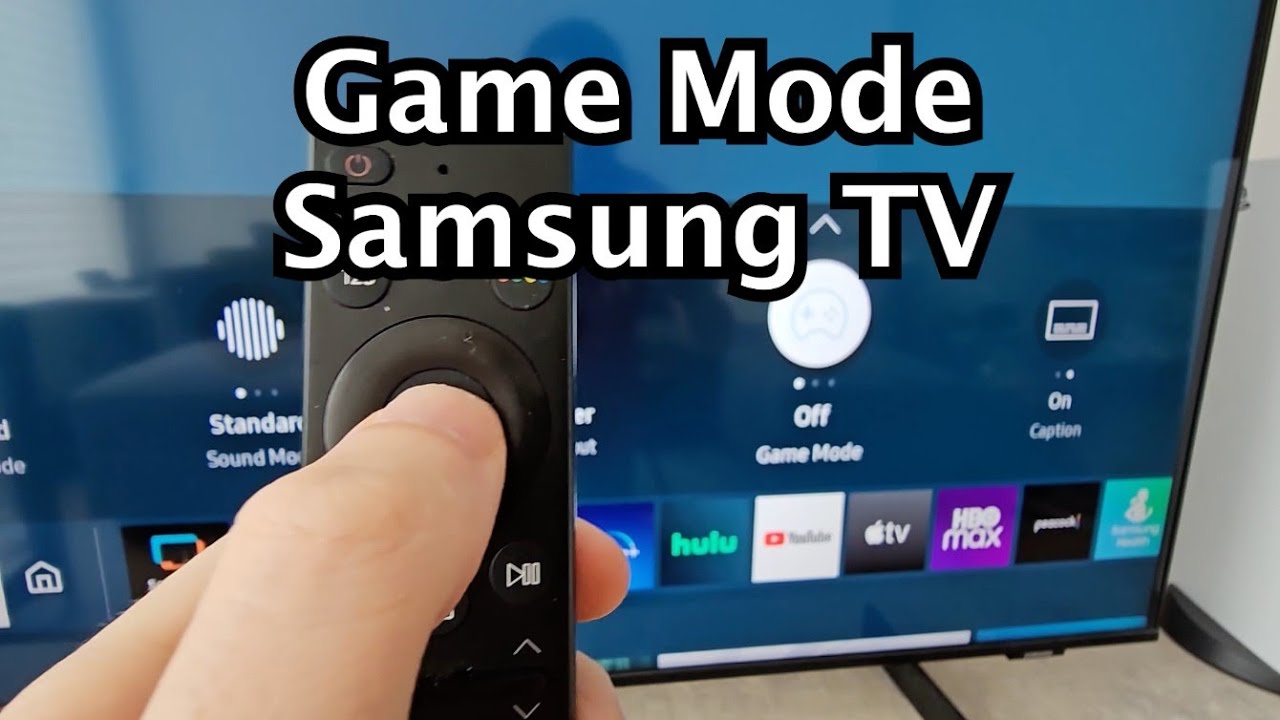
- Game mode trumps smoothing: If you play competitive video games, use Game Mode to minimize input lag; motion smoothing usually increases processing time and can introduce delay.
How to evaluate settings at home
Run a quick A/B test. Pick a short scene you know — a panning exterior, a character walking across frame, a sporting clip. Watch it with smoothing off, then toggle the setting on and watch again. Note differences in naturalness, edge warping, and input responsiveness. Use a consistent viewing distance — typically 1.5 to 2.5 times the diagonal for HDTV — and ambient lighting so your impressions are reliable.
Pro Tip Use the TV’s "Cinema" or "Filmmaker Mode" when available for a closer-to-director experience; use "Sports" or higher-processing modes when you want motion clarity for live action.
THE MARKETING DILEMMA: SELL FEATURES, NOT DISAGREEMENTS
Why manufacturers love it
Motion smoothing is an easy spec to advertise: higher perceived clarity, smoother motion, a noteworthy-sounding feature that differentiates models. It feeds showroom impressions where screens are viewed up close, bright, and with demo loops optimized to impress. For product managers, it's a feature that sells more than it polarizes.
Why reviewers and enthusiasts won’t let it go
Tech press and AV enthusiasts are trained to detect differences and to privilege creative intent. They’ll call out anything that alters the filmmaker’s frame cadence, because that matters to the craft of cinema. That tension creates disproportionate attention around motion smoothing — coverage that amplifies concerns beyond what average users experience.
ANATOMY OF A MISPERCEPTION
The loud few vs. the quiet many
A small but vocal group of cinephiles, calibrators, and reviewers will keep the soap opera effect in the headlines long after most people have moved on. This dynamic is common in tech: passionate minorities steer online conversations and produce guides, settings lists, and videos. But the silent majority — viewers content with default playback — rarely participates in that debate.
Social proof and the paradox of standards
Because the debate is visible, people often assume motion smoothing is a problem everyone faces. That perception becomes a social standard: new TV buyers Google how to disable it because they read horror stories, even though many would never have noticed. The feature becomes a cultural meme more than a universal issue.
Did You Know? Many streaming apps and streaming devices compress and reprocess video in ways that can mask or exaggerate the effect of motion smoothing. Your experience often depends on the combination of content source, app, and device chain.
TECHNICAL TRADEOFFS: SMOOTHNESS VERSUS ACCURACY
Latency and gaming
More processing equals more delay. For gamers, particularly competitive players, even small increases in input lag matter. That’s why "Game Mode" typically disables heavy motion processing: it prioritizes low-latency and leaves temporal artifacts alone so you can react to on-screen events faster.
Energy and hardware constraints
High‑quality motion interpolation consumes processing power and can slightly increase power draw and heat. Cheaper TVs may produce poorer interpolation results because their processors are budget constrained, which explains why some inexpensive sets create more visible artifacts when smoothing is enabled.
PULLING IT ALL TOGETHER
Motion smoothing is a technologically clever solution to a perceptual mapping problem between source frame rates and display refresh rates. It creates value in some contexts and destroys intended aesthetics in others. The intense debate around it is partly about taste and partly about legitimacy — who gets to decide how something should look? But that debate only matters to a subset of viewers who care deeply about cinematic authenticity or who watch a lot of content where interpolation produces discernible artifacts.
In the showroom it impresses; on the couch it’s often invisible — and that explains a lot.
CONCLUSION: WHY NO ONE REALLY CARES — MOSTLY
In the end, motion smoothing is one of those features with outsized visibility and outsized controversy relative to its day-to-day impact. For most viewers it lives in a menu they never open, quietly shaping motion on a handful of programs but rarely driving dissatisfaction that leads to returns or complaints. For enthusiasts the stakes are higher because fidelity to intent matters, and for specific use cases like sports it can improve experience. That combination — high importance for a few, modest or invisible effect for many — is why the soap opera effect feels important but, practically speaking, doesn’t move the needle for most TV buyers.
Key Takeaways
- Motion smoothing interpolates frames to reduce judder, but it can change the cinematic look of 24fps content.
- It helps sports and some live content but harms many films and older TV shows.
- Most consumers accept defaults or don’t notice the change; enthusiasts and filmmakers often prefer it off.
- Use Game Mode for gaming, Cinema/Filmmaker Mode for movies, and experiment with a short A/B test for your favorite programs.
Final note
If you’re buying a new TV and motion processing matters to you, test it in the store and at home with your own content. But if you’re like most people, the biggest factors in satisfaction will be panel type, brightness, contrast, and sound — not whether the TV smooths motion into soap opera territory.