Why Jensen Huang Says Gamers Are 'Completely Wrong' About DLSS 5
The headline landed like a splash of cold water: Jensen Huang, NVIDIA's founder and CEO, told a roomful of reporters and developers that many gamers were "completely wrong" about DLSS 5. It was the kind of blunt assessment that quickly spread across forums, headlines, and Discord channels. But beneath the viral sound bite is a nuanced argument about how modern graphics pipelines are evolving, how machine learning is reshaping the balance between fidelity and performance, and why first impressions — especially on social media — can misread technical trade-offs.

Jensen Huang NVIDIA CEO portrait
Context: What DLSS Has Been and Where DLSS 5 Fits
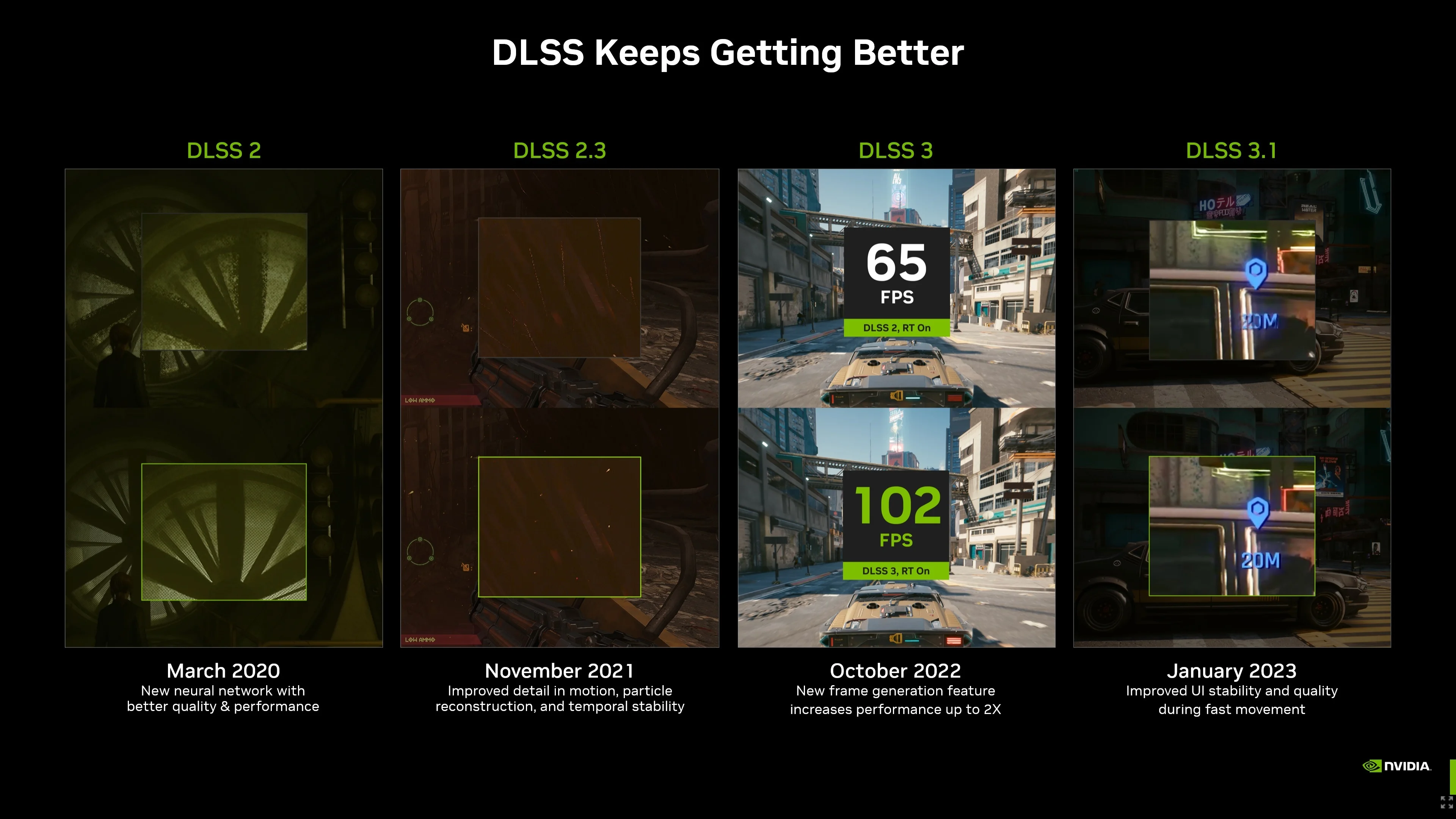
DLSS, short for Deep Learning Super Sampling, started as NVIDIA's promise to use neural networks to reconstruct a higher-resolution image from fewer rendered pixels, boosting frame rates without sacrificing image quality. Over successive iterations — DLSS 1.0's uneven results, DLSS 2.0's game-changing temporal reconstruction, and later versions that added frame generation — the technology became central to the RTX story: combine ray tracing with AI to deliver new visual fidelity at playable framerates.
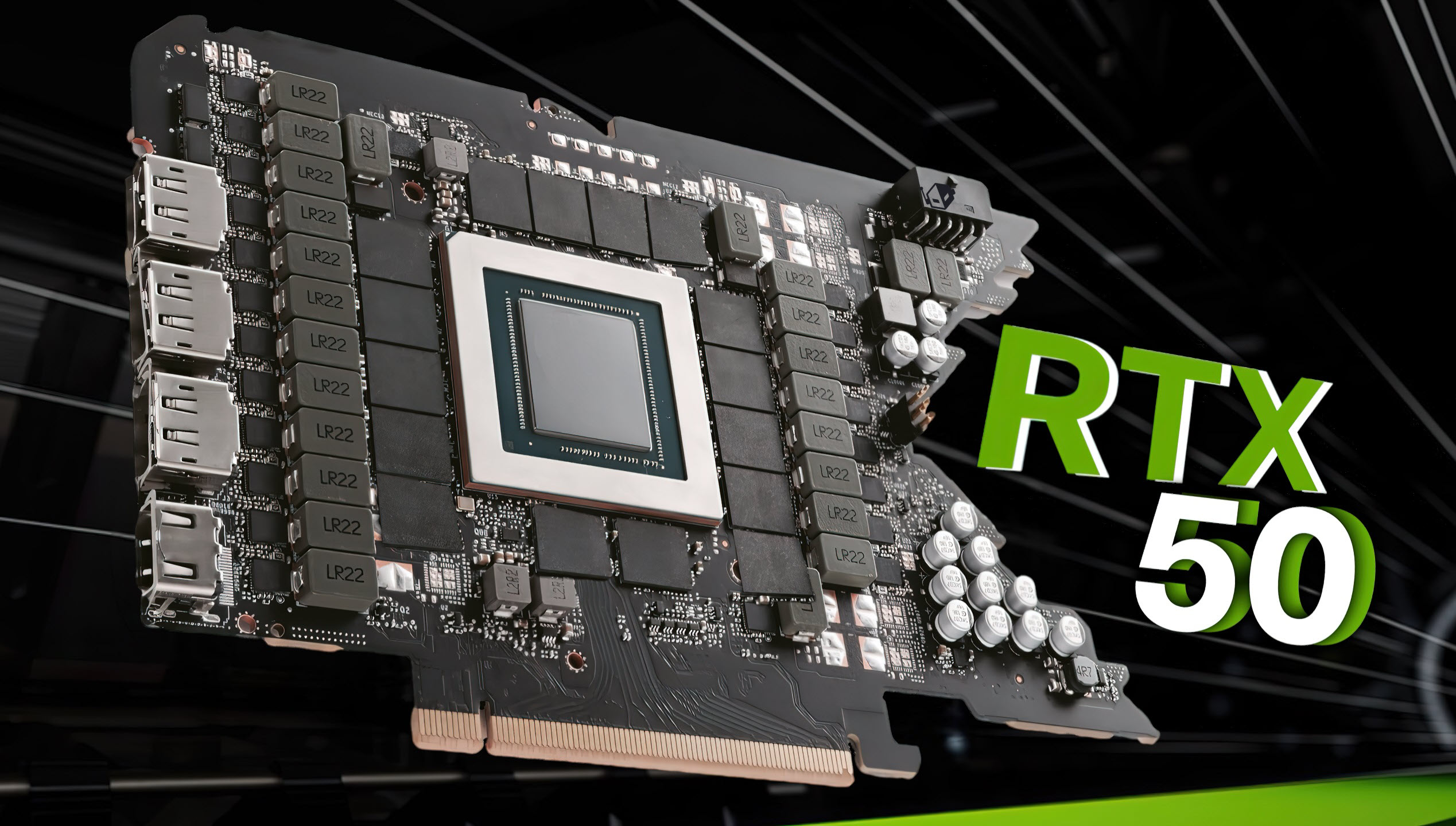
NVIDIA RTX graphics card architecture
DLSS 5 is positioned by NVIDIA as another leap: not just better upscaling or faster frame generation, but tighter integration with game engines, lower latency profiles, and improved handling of motion and fine detail. That framing is part marketing, part roadmap. What unsettled some gamers, and prompted Huang's comment, was how the changes were interpreted in community conversations: concerns about artificial smoothing, input lag, unnatural motion, and downgraded detail were widespread.
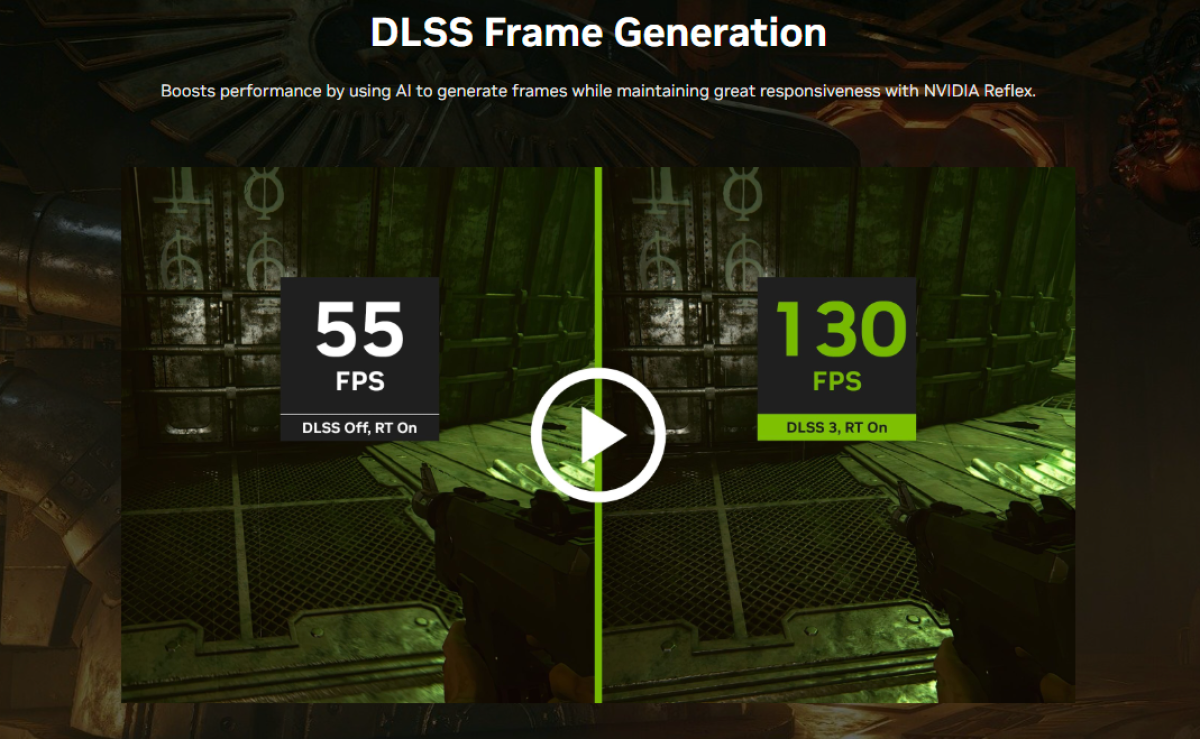
DLSS 5 frame generation comparison
Why the Backlash? Common Gamer Concerns
Perceived Softening of Image Quality
One frequent complaint: AI upscaling can make textures and edges look "soft" or plastic compared with native rendering. This perception is real — certain reconstruction models prioritize stability over razor-sharp per-frame detail, which can make images look less crisp at close inspection.
Latencies and Competitive Play
Another recurring worry is input latency. Competitive players fear any technology that might add milliseconds between their actions and the on-screen response. Frame generation, motion interpolation, and complex post-processes are sometimes accused of introducing lag or unpredictable timing.
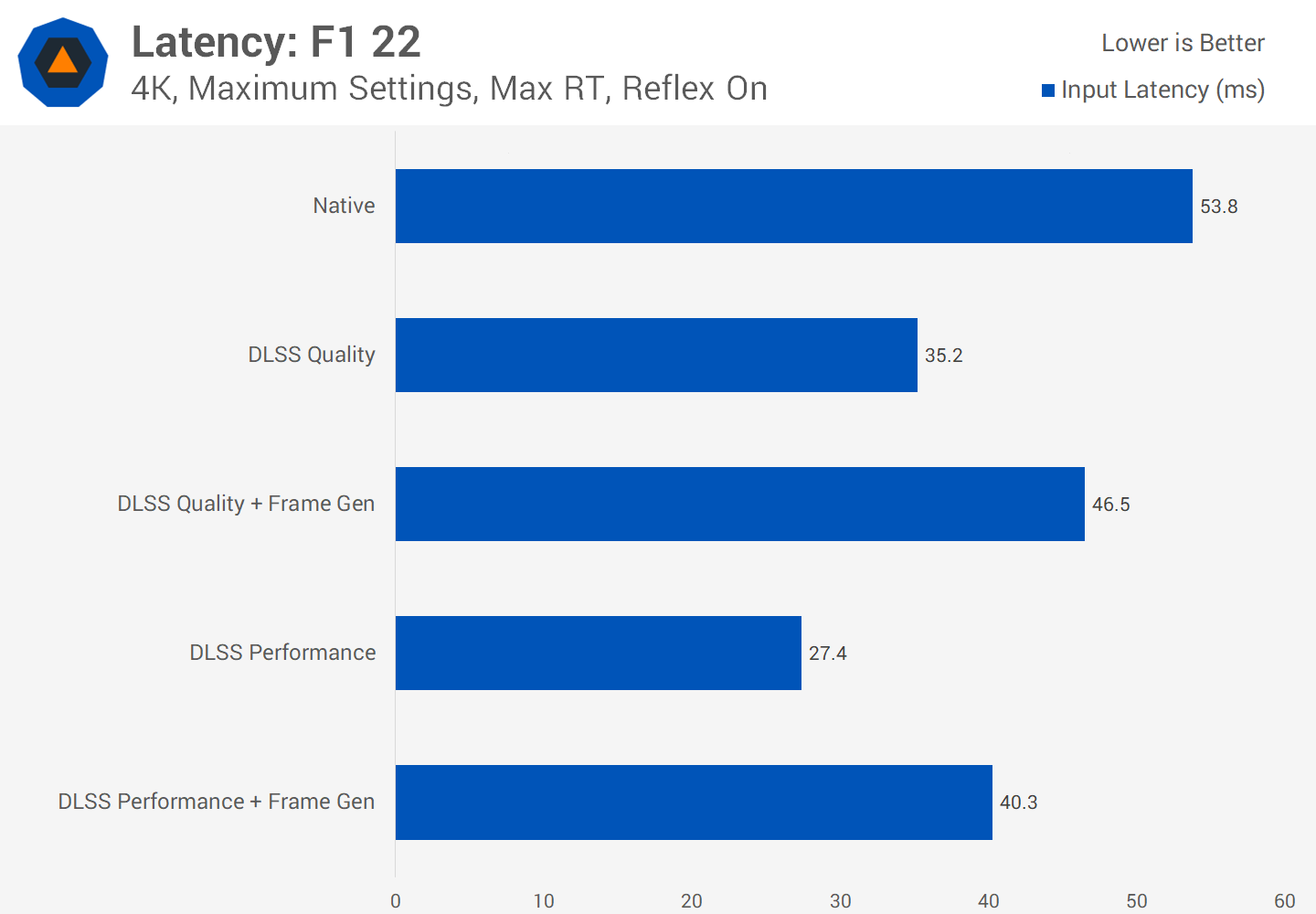
DLSS latency testing competitive gaming
Trust in the Black Box
Machine learning introduces another dimension: it is a statistical reconstruction, not a deterministic pixel-by-pixel truth. Gamers who value predictability and exact rendering can be skeptical of a system that occasionally hallucinates or blends content in ways a human can notice.
Huang's Argument: Where Gamers 'Got It Wrong'
When Huang said gamers were "completely wrong," he was responding to a pattern: short-form commentary that treats DLSS as a one-dimensional tool that only softens images or increases framerate at the expense of everything else. His counterpoint is layered.
1) Optimization Is System-Level, Not Just Pixel-Level
Huang argues that modern graphics is an orchestration of shaders, ray tracing passes, AI reconstruction, and driver-level optimizations. Assessing DLSS by looking at a single frame or a few clips misses how the pipeline behaves across a session: thermal throttling, frame pacing, stutter, and input responsiveness are affected by overall frame time, CPU-GPU balance, and engine-level threading. In other words, the payoff of DLSS 5 may not be obvious in a screenshot but matters in sustained play.
2) Trade-Offs Can Improve the Player Experience
Huang's point is also philosophical: every algorithm makes trade-offs. A motion-stable reconstruction that occasionally blurs a tiny texture is preferable, in many cases, to a system that produces shimmering detail and stutter at low framerates. For single-player narrative experiences, perceived cinematic stability can enhance immersion. For multiplayer, predictable frame pacing can be more valuable than raw pixel precision.
3) The Role of Game Developers Matters
DLSS is not a magic switch — it is a toolset for developers. DLSS 5, as Huang frames it, brings tighter hooks into engines so studios can decide when to favor fidelity vs. latency, how to integrate temporal history, and how to tune networks for specific art directions. If a developer applies DLSS carelessly, the result will look bad. If they tune it as part of an art pipeline, the outcome may exceed expectations.
Separating Myth from Reality: Technical Clarifications
DLSS vs. Native Rendering
It helps to clarify the mechanics. Native rendering means the GPU rasterizes and shades every pixel that ends up on screen. DLSS renders fewer pixels and reconstructs the rest using a neural network informed by temporal data (previous frames) and motion vectors. The output is an educated guess constrained by scene history, motion, and learned priors from training data.
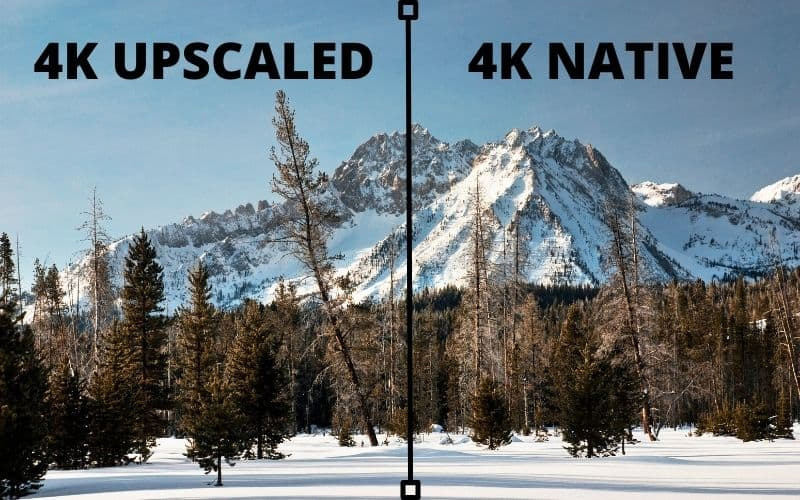
AI upscaling vs native rendering side by side
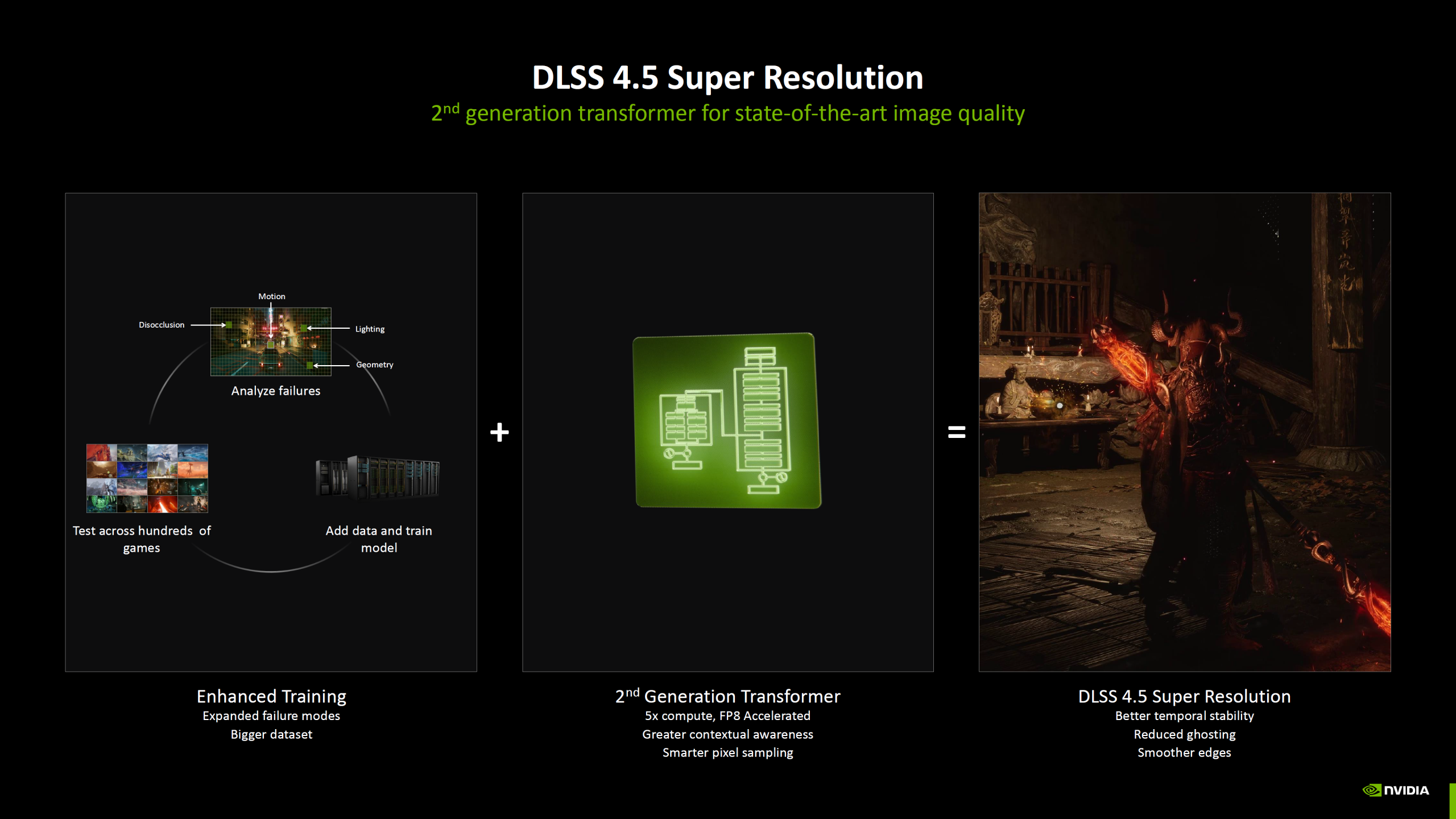
DLSS temporal super resolution demo
Why 'AI Hallucination' Is Overstated
Critics sometimes use dramatic language like "AI hallucination" to describe reconstruction artifacts. In practice, most DLSS failures are edge cases: rapid camera cuts, unusual particle effects, or very fine, high-frequency detail not present in the model's training set. Those cases stand out, but they are a small fraction of the overall playtime where DLSS produces consistent, natural imagery.
"DLSS is a tool that amplifies what developers build; when used well it accentuates strengths rather than hiding weaknesses."
Practical Implications for Gamers
What to Expect in Visuals and Performance
Gamers should expect DLSS 5 to offer refined upscaling with reduced temporal artifacts, improved handling of fine detail, and options that let users choose profiles tuned for either responsiveness or fidelity. In many titles, that will translate into higher sustained framerates at higher effective resolutions — the core promise of DLSS since DLSS 2.0.
Settings to Watch
Players can and should experiment with quality profiles. A sensible checklist:
- Quality — Highest fidelity, modest performance uplift.
- Balanced — Middle ground for stable motion and decent fps.
- Performance — Maximum framerate gains, potentially softer details.
- Low-latency toggles — For competitive players, choose modes or driver options that prioritize minimal added processing.
The Developer's Perspective
Game developers face the same trade-offs Huang mentions. For artists, DLSS can free budget to focus on higher-resolution textures, better lighting, or more complex simulations because fewer native pixels must be produced. For engine programmers, tighter DLSS integration can smooth frame pacing and reduce CPU bottlenecks by lowering the per-frame shading cost.
Importantly, DLSS 5 appears to offer developers more configurable knobs: per-scene tuning, conditional profiles (different reconstruction parameters depending on camera speed or gameplay state), and clearer metrics to measure stability and temporal coherence during automated testing.
Where DLSS Is Likely To Struggle
No technology is perfect. Expect DLSS to show its limits in specific scenarios: ultra-fine procedural details, extremely rapid camera motion, or experimental art styles that diverge from training data. Indie titles with atypical rendering pipelines may require bespoke work to make DLSS feel native.
How to Judge DLSS 5 Yourself
When evaluating DLSS 5, follow a methodical approach. Don't rely solely on short clips. Test sustained play sessions in a few scenes: high motion, low motion, and medium motion. Toggle settings, check input latency with and without DLSS, and compare frame pacing graphs when available. That will give a balanced view of both subjective feel and objective performance.
Quick Evaluation Checklist
- Long session — Play for 20–30 minutes to reveal thermal and pacing effects.
- Multiple scenes — Look at interiors, exteriors, particle-heavy moments.
- Latency tests — Use tools or in-game timings to measure responsiveness.
- Image inspection — Pause and compare screenshots for edge reconstruction and fine detail.
The Bigger Picture: Why This Debate Matters
Beyond a single version number, this dispute reflects a larger shift in game graphics. We're transitioning from brute-force rasterization where every pixel is sacred, to hybrid models where inference, temporal history, and perceptual heuristics do heavy lifting. That shift opens doors: ray tracing at playable framerates, richer physics, more NPCs, and deeper worlds. But it also requires humility. Players, developers, and hardware companies are learning together how to preserve authorship of visuals while leveraging statistical reconstruction.
Conclusion: A Nuanced Verdict
Jensen Huang's statement that gamers are "completely wrong" is intentionally provocative, but it contains a kernel of truth: the debate around DLSS 5 often centers on isolated examples and emotional reactions rather than system-level analysis. DLSS is not a replacement for good game design or careful art direction, but it is a powerful tool that can extend what developers can do with fixed hardware budgets.
For gamers, the takeaway is practical: test settings, understand trade-offs, and push developers to ship thoughtful implementations. For developers and hardware partners, the message is clear as well: provide transparency, tuning controls, and meaningful profiles so players can choose what matters most to them — whether that is cinematic fidelity, competitive responsiveness, or a balance between the two.
The future of graphics is not about one technology winning; it's about combining ray tracing, smart upscaling, and developer artistry to create richer, more interactive experiences.
Key Takeaways
- DLSS 5 aims to tighten integration between AI upscaling and engine-level systems to improve both fidelity and performance.
- Perceived image softening is a trade-off that can be tuned; proper implementation matters more than the technology label.
- Competitive players should measure latency and frame pacing; single-player fans may prioritize stability and visual consistency.
- Developers hold the keys to good DLSS outcomes through per-game tuning and smart profiles.
Illustration: Understanding trade-offs between fidelity, performance, and latency in modern graphics pipelines.