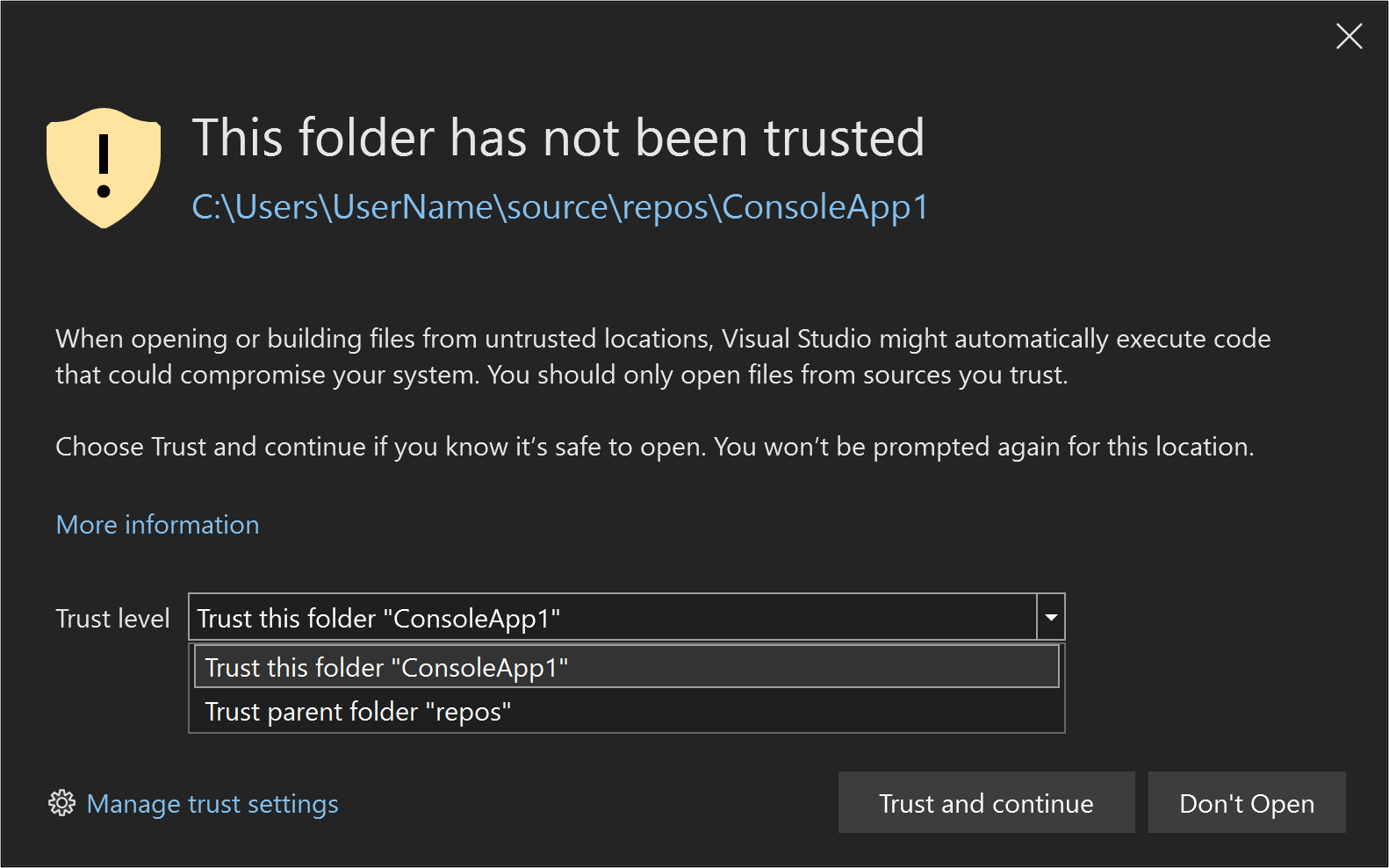
How Microsoft Is Rebuilding Trust in Windows
The story of Windows in the last decade is not only one of technical progress but also of a relationship between a platform maker and billions of people that frays and repairs in cycles. For many users and administrators, trust in Windows has been tested by botched updates, confusing telemetry, and a string of high-profile bugs that arrived with the very fixes designed to keep systems safe. Now, Microsoft is making an intentional, multi-pronged effort to rebuild that trust—through product changes, clearer communication, and operational shifts inside the company. This article parses what changed, why it matters, what Microsoft is actually doing differently, and what users and IT teams should know and do next.
THE PROBLEM: WHY TRUST ERODED
Trust between platform makers and users is fragile because it is built on predictable behavior. When updates regularly improve reliability, security, and performance, people feel confident installing them. But when updates occasionally cause data loss, software breakage, or performance regressions, that confidence collapses quickly. Over the past decade Windows has been hit by a handful of high-visibility incidents—updates that returned as problems, privacy worries tied to telemetry, and confusing messaging about what would change and when. For many organizations, the fear is not merely inconvenience but measurable business risk.
Patterns that damaged confidence
The erosion of trust didn't come from a single failure. Rather it emerged from a pattern: rapid rollout schedules that prioritized speed over resilience; opaque telemetry and diagnostic collection that felt intrusive; inconsistent communication when things went wrong; and tooling that placed heavy operational burdens on IT teams. Each incident reinforced a perception that Windows updates were a gamble, and that the company deploying them had not fully internalized the cost to users when an update misbehaves.
When the update meant to protect your machine breaks an essential app, perception shifts faster than metrics can recover.
WHAT MICROSOFT IS CHANGING
Microsoft's response has been methodological rather than merely rhetorical. The company appears to be redirecting energy toward four visible priorities: better engineering practices, clearer user communication, more control for administrators, and stronger privacy and telemetry hygiene. Together these aim to make updates less surprising, easier to manage, and more trustworthy in intention and outcome.
1. Engineering for resilience
One of the clearest shifts has been an emphasis on more rigorous testing, staged rollouts, and improved regression detection. That means longer internal validation for more extensive compatibility testing across the wild variety of drivers and OEM configurations, and investment in automated systems that can detect and roll back a problematic change before it reaches most users. For platform vendors, this kind of engineering discipline is expensive and slow—but it is necessary if the product's reliability is to be consistent across millions of device permutations.
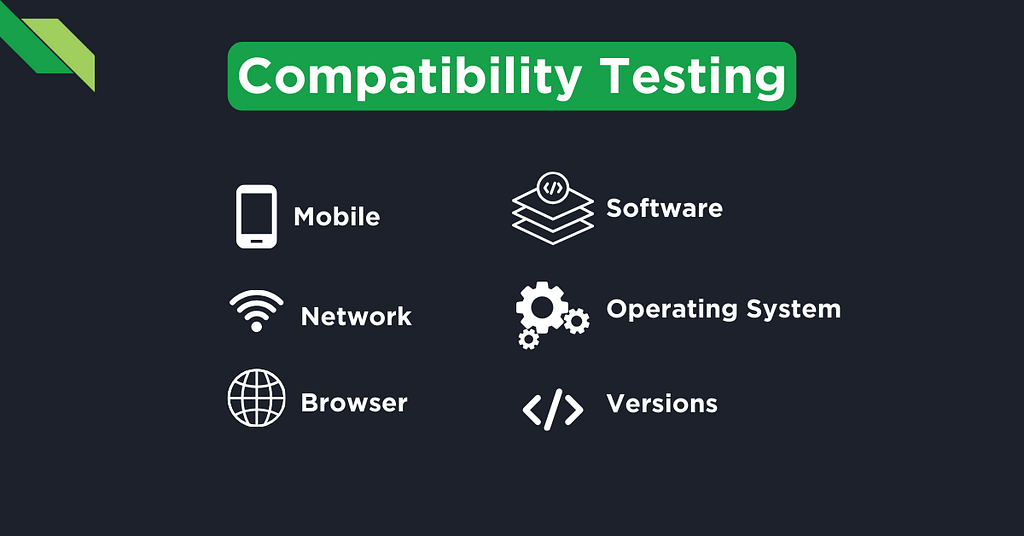
compatibility testing drivers
2. Safer update delivery
Microsoft has expanded the sophistication of how updates are staged. That includes smaller, focused packages, improved rollback capabilities, and more conservative rollout thresholds tied to telemetry signals rather than arbitrary calendar dates. For administrators, tools like update rings and deferred deployment windows give greater control. For individual users, clearer prompts and the option to pause or schedule updates help avoid the worst surprises.
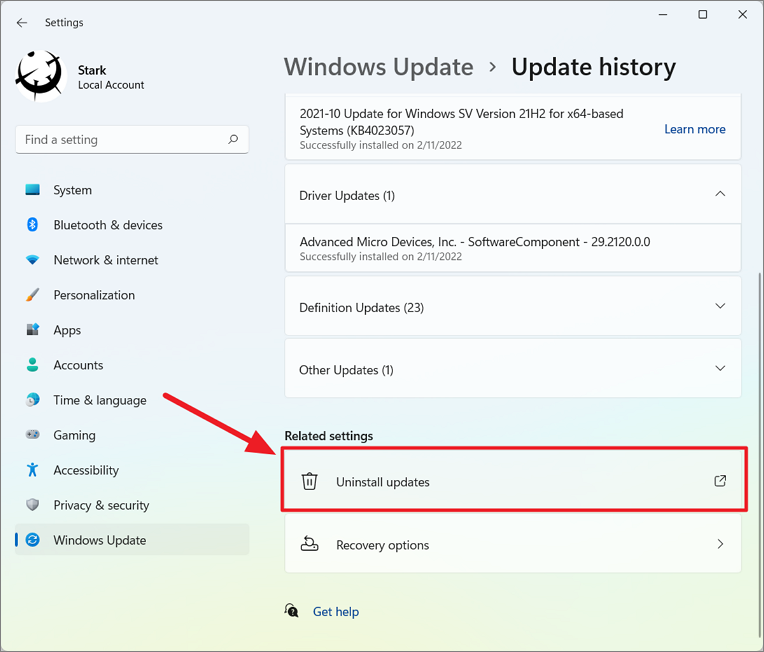
Windows 11 update rollback
3. Telemetry with clearer boundaries
Telemetry and diagnostics are vital to detect regressions quickly—but they are also the most politically charged element of modern operating systems. Microsoft's approach has been to define clearer privacy boundaries: more granular controls over what is shared, clearer language describing the purpose of data collection, and better user-facing controls in privacy settings. The technical work is coupled with UX work: making the controls intelligible, not just present, so users actually understand and can exercise choice.
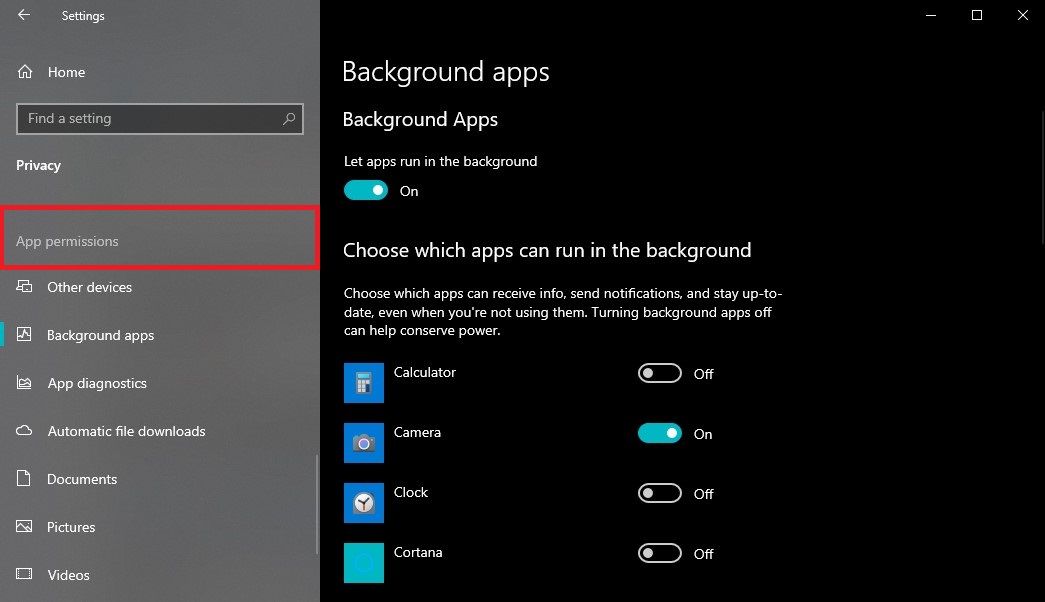
telemetry privacy controls
4. Transparent communication and accountability
When things go wrong, the way a company communicates can either deepen distrust or begin to repair it. Microsoft has increasingly issued candid advisories, rolling status updates, and acknowledged root causes when appropriate. That kind of transparent, blame-focused communication—paired with concrete timelines and mitigation steps—helps people evaluate risk and plan. It also lets independent observers see whether promised fixes materialize.
HOW THESE CHANGES AFFECT DIFFERENT USERS
Not all Windows users experience the platform in the same way. Home users, power users, and enterprise IT managers have different risk tolerances and operational needs. Microsoft's trust-rebuilding measures must therefore play to a wide set of expectations.
Home users and small businesses
For individual users and small operators, the most important improvements are predictability and control. If an update now offers clearer choices—pause, scheduled install, or better rollback—people are less likely to delay critical security patches out of fear. Better privacy settings also reduce friction for those who fear unwanted data collection.
Enterprises and IT operators
IT professionals need tools to stage and test at scale. Microsoft's investments in update rings, deferred channels, stronger integration with device management solutions, and clearer documentation help organizations model risk before broad deployment. The ability to pilot updates in narrow groups, collect precise telemetry from those pilot devices, and automatically pause a rollout when signals worsen are the practical capabilities that reduce the cost of trust.
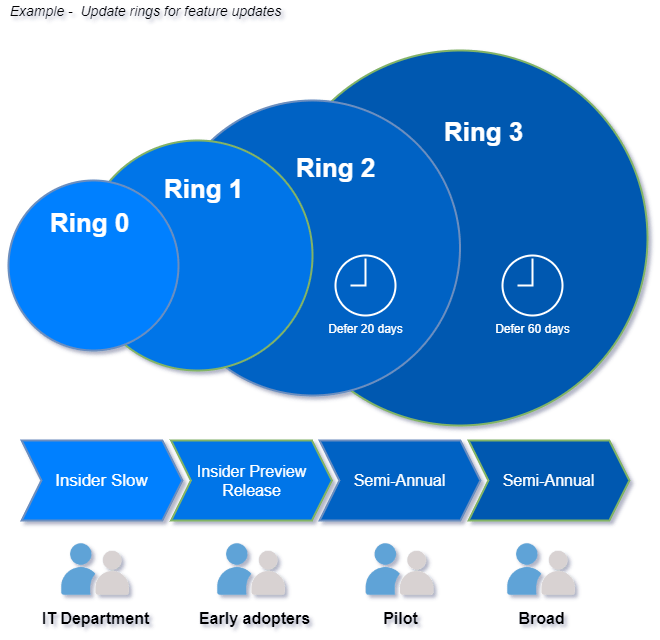
update rings enterprise
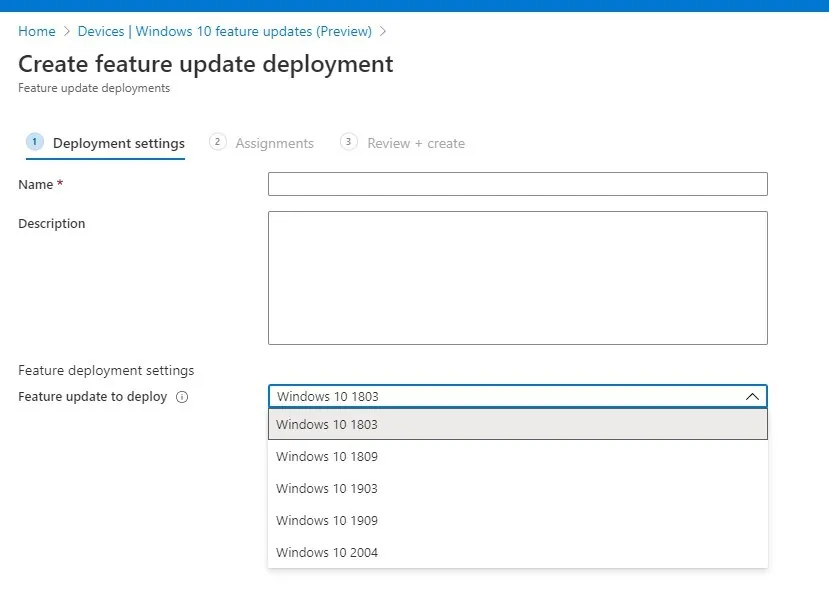
Windows Update for Business
WHAT REMAINS CHALLENGING
Even with changes, rebuilding trust is slow. A single regression or miscommunication can erase months of steady work. Microsoft still confronts structural challenges: the enormous hardware diversity of PCs, the complex ecosystem of drivers and firmware, and the competing incentives of shipping new features versus ensuring stability. Additionally, the company must balance data collection that improves reliability with legitimate user concerns about privacy.
Cultural and organizational hurdles
Engineering changes must be accompanied by cultural shifts: prioritizing long-term reliability over short-term feature velocity, rewarding teams for stability, and giving engineers the time and tools to reproduce rare environment-specific bugs. That kind of cultural recalibration is harder to measure than code but is central to durable trust.
PRACTICAL ADVICE FOR USERS AND IT TEAMS
Trust is rebuilt one successful update at a time, and users can take concrete steps to lower their risk while benefiting from improvements. Below are specific, actionable recommendations for different audiences.
For individual users
- Back up before major updates. Use an image backup or cloud backup for essential files so you can recover quickly if something goes wrong.
- Use built-in pause or schedule options. Choose a maintenance window to avoid interruptions during important work.
- Familiarize yourself with privacy settings. Review diagnostic data levels and limit what you don't want shared.
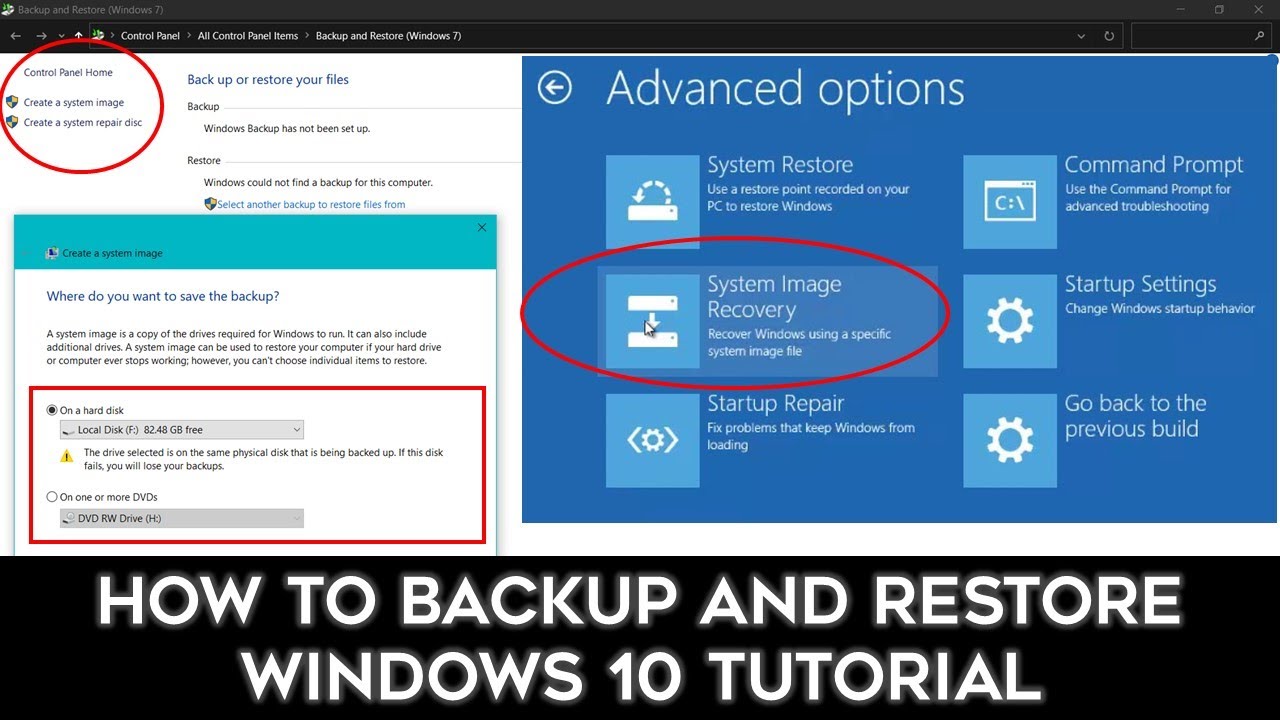
system restore backup
For IT administrators
- Run pilot rings. Start with a small, representative group and expand only when signals are healthy.
- Leverage deferred channels. Use the enterprise options for staged rollouts and automatic rollback triggers.
- Test critical apps thoroughly. Put business-critical software through automated and manual tests under the new update to detect regressions early.
- Keep rollback plans and backups ready. A fast rollback plan reduces downtime if the worst happens.

pilot group testing
MEASURING SUCCESS: HOW TO TELL IF TRUST IS RETURNING
Restoring trust won't be clean or linear, but there are measurable signs that help gauge progress. Look for fewer high-severity regressions after updates, shorter mean-time-to-detect for problems, cleaner communication from the vendor when incidents occur, and stabilized update adoption rates. Organizations can also track their own metrics—incident tickets after updates, time-to-restore, and user-reported problems—to see whether the platform is behaving more predictably.
THE LONG GAME: BUILDING STRUCTURAL TRUST
Short-term fixes and better communications are important, but real trust comes from structural changes to how software is built and evolved. That includes embedding reliability engineering into feature development, improving observability across the platform, and creating incentives for long-term maintenance rather than rapid feature churn. For Microsoft, scaling these practices across a product that runs on billions of devices is the core of rebuilding trust at scale.
Ecosystem cooperation
Microsoft cannot create a trusted Windows alone. Device makers, driver authors, independent software vendors, and security researchers all play roles. Strengthening certification programs, improving standards for driver quality, and increasing collaboration with third parties reduces the chance that a well-intentioned update will interact badly with another vendor's software or firmware.
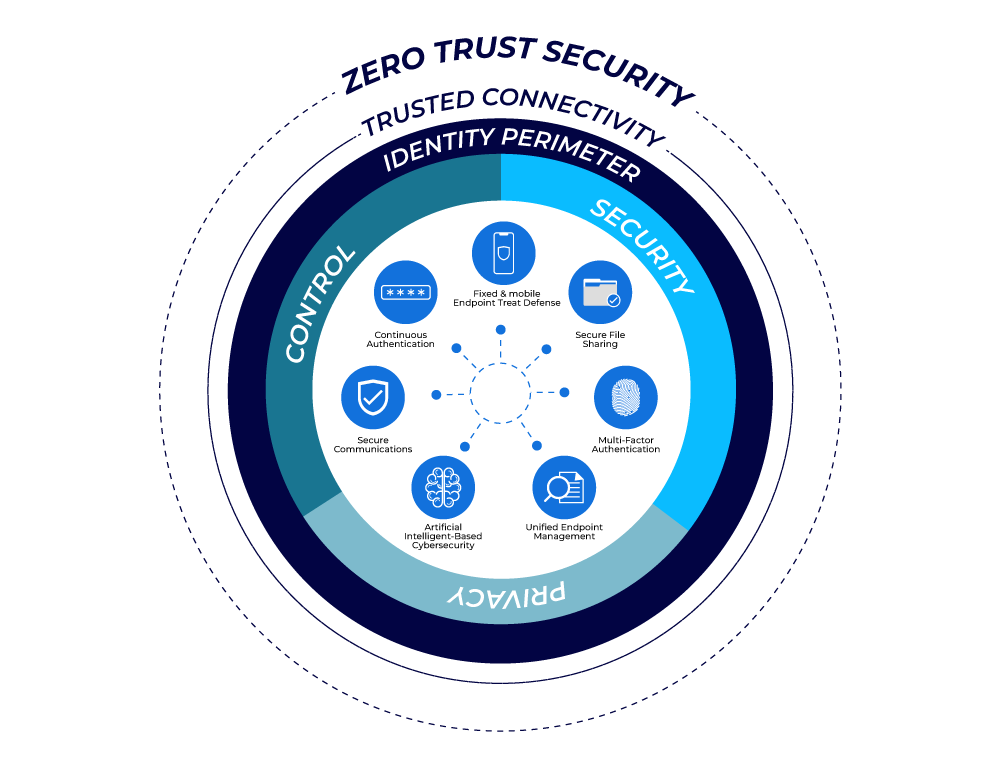
Zero Trust security
Trust is less about a single promise and more about repeated, reliable behavior over time.
CONCLUSION: CAUTIOUS OPTIMISM
Rebuilding trust in Windows is a long-running project—one that requires technical rigor, transparent communication, and organizational humility. Microsoft's shifts toward more conservative rollouts, clearer telemetry policies, and better tooling for administrators are meaningful steps. But trust is a social contract: users need to see consistent outcomes over many update cycles before confidence fully returns. For now, the combination of engineering changes and clearer messaging gives reason for cautious optimism, provided the company continues to prioritize stability alongside innovation.
- Microsoft is addressing trust through improved testing, safer rollouts, and clearer telemetry controls.
- Different user groups—consumers and enterprises—need different tools and communications.
- IT teams should run pilots, keep rollback plans ready, and test critical applications thoroughly.
- Long-term trust depends on structural changes to engineering practices and ecosystem cooperation.
A version of this story reflects observable shifts in Windows engineering and communication practices and offers practical steps for users and IT professionals.