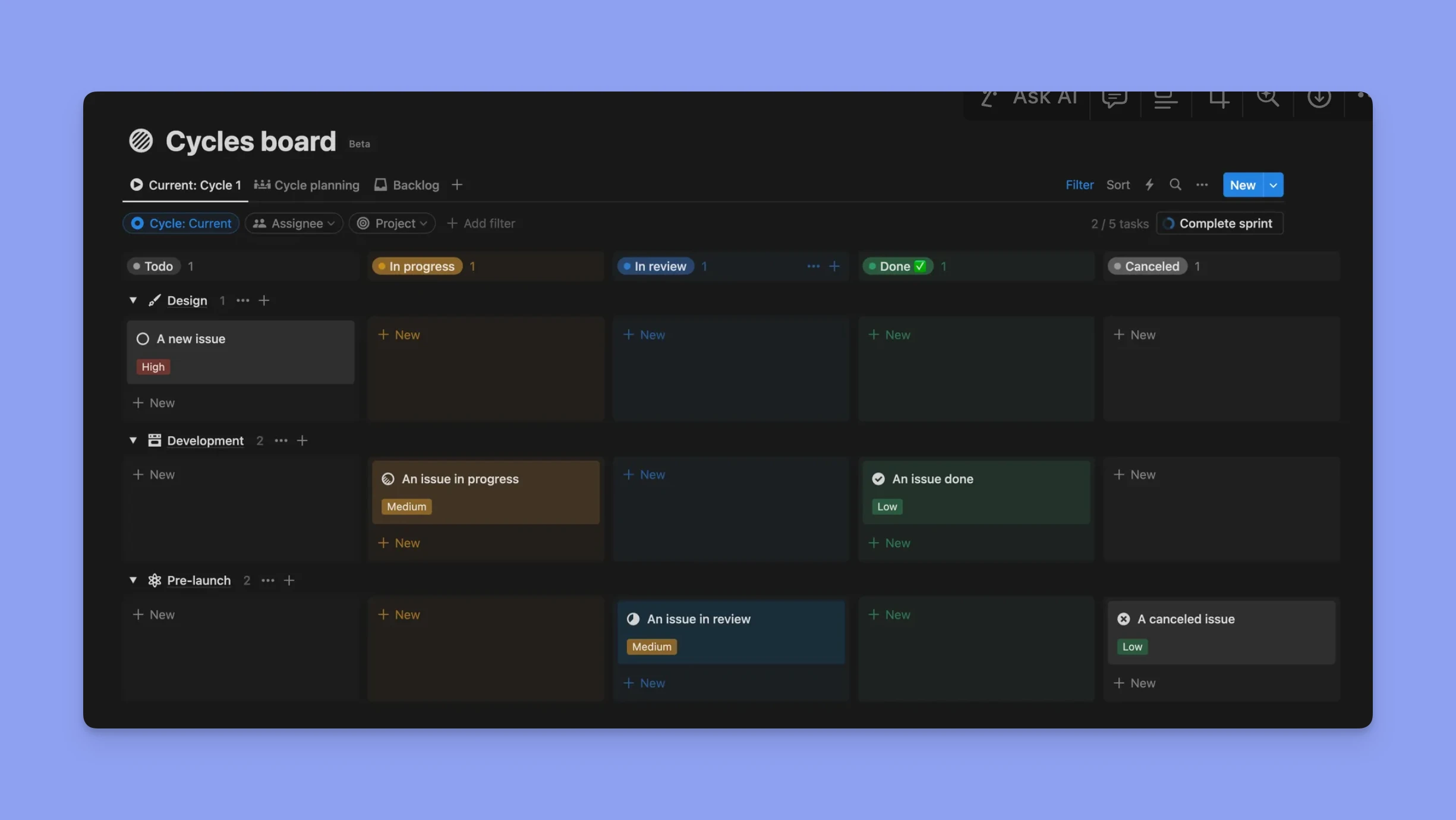
How Linear Achieves Blazing Speed: A Technical Breakdown
The moment you open a modern productivity app and it feels immediate — searches returning as you type, boards rearranging without flicker, comments appearing in line — you are experiencing a tight chain of engineering decisions working in concert. Linear, an increasingly popular issue-tracker and project management tool, is often singled out for that sense of speed. This article pulls that feeling apart, explains the technical forces behind it, and shows the practical trade-offs and patterns engineering teams can apply to make software feel fast, even when the underlying systems do heavy work.
Speed is not just CPU cycles and network bytes; it is perception, prioritization, and the relentless removal of friction at every layer.
Why Perceived Speed Matters
Performance isn’t purely a backend concern. Users judge an application by how quickly their intent turns into results. A half-second response often feels instantaneous; beyond that, the experience degrades. Achieving that perception requires reducing both absolute latency and the number of visible intermediate states. Linear’s responsiveness comes from an architecture that reduces round-trips, pushes work closer to the user, and returns confident UI updates before the server has finished — a collection of techniques commonly described as optimistic UI, local-first state, and edge-aware delivery.
Front-End Patterns: Instant Everything
Optimistic updates and local state
At the heart of a fluid UI is the decision to show the result of a user action immediately. When you create an issue, move a card, or edit text, Linear updates the local model first, renders the change, and then sends the delta to the server. If the server disagrees, the client reconciles the difference and, where necessary, signals the user. This pattern minimizes perceived latency and keeps interactions feeling immediate.
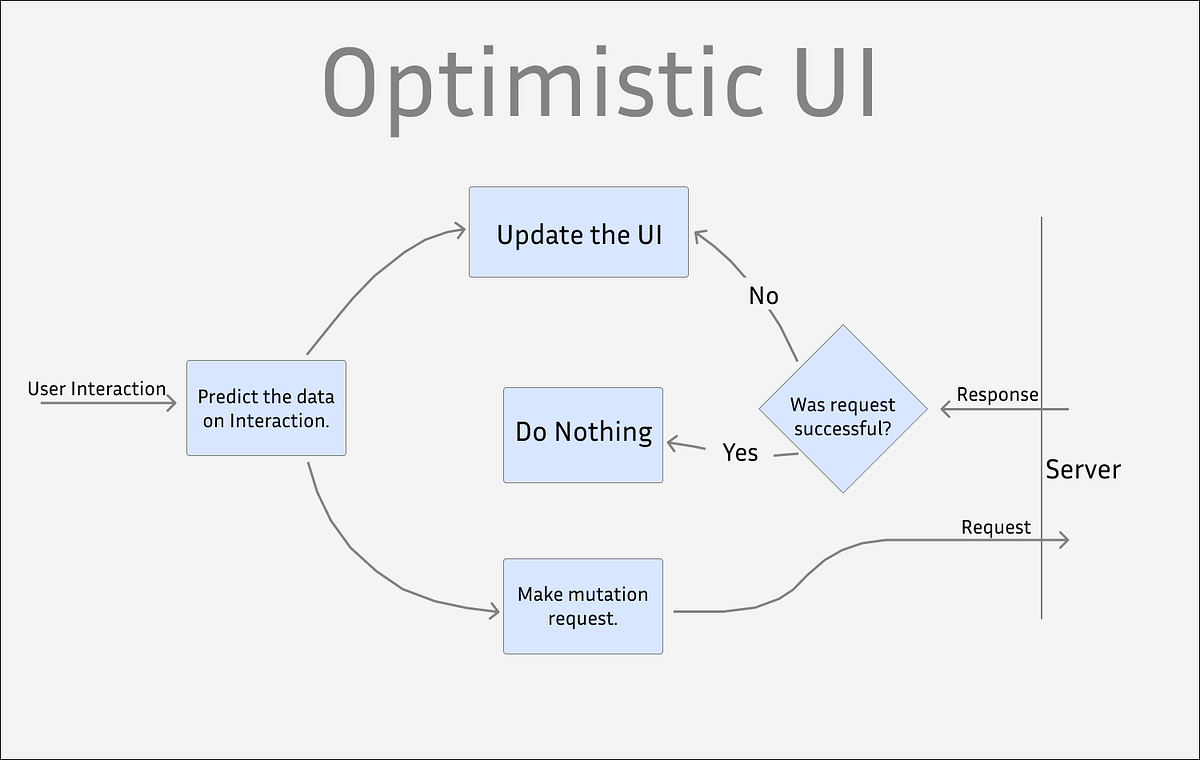
Optimistic UI interface
Smart diffing and minimal re-renders
Efficient rendering matters. Instead of re-rendering entire pages, performant apps track minimal diffs in state and only update affected components. Combined with immutable data patterns and careful selector logic, this reduces CPU work on the client and leads to smooth animations and scrolling. Libraries like React provide primitives, but the art is crafting pure components, memoization, and avoiding expensive computations during render.
Predictive UI and prefetching
Anticipation reduces wait time. If the system predicts that a user is likely to open a particular issue or tab, it can prefetch the minimal data required and warm caches so that when the user does navigate, the content appears instantly. Prefetching must be measured and budgeted — too much speculative work wastes resources and harms battery life — but applied selectively it significantly improves perceived speed.
Networking & Protocol Choices
Use of persistent connections
Every TCP handshake and TLS negotiation costs time. Keeping connections alive via WebSockets or HTTP/2 multiplexing allows many small messages to flow without repeated setup costs. For a collaborative app, a persistent channel also enables real-time events like presence, live updates, and ephemeral notifications.
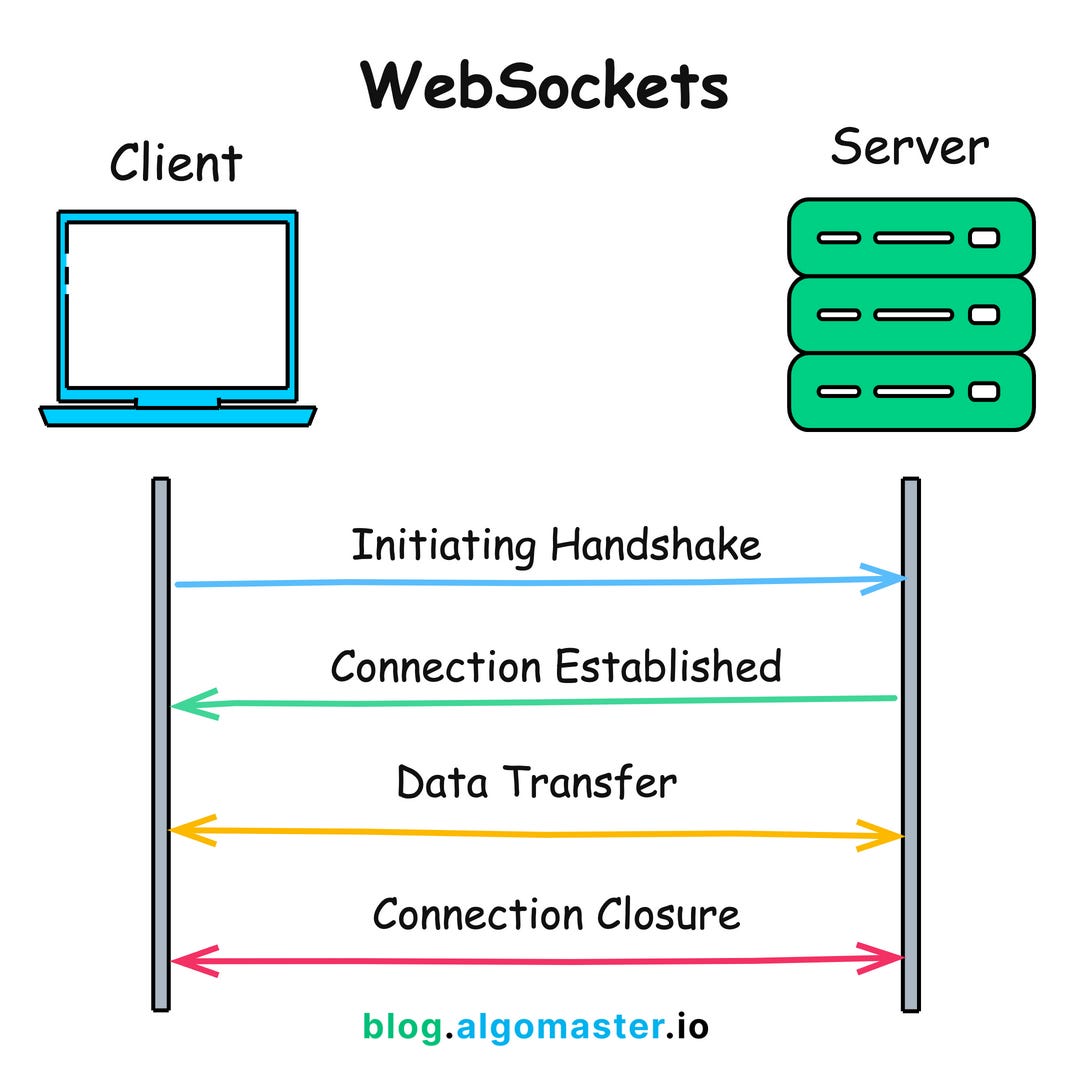
WebSockets connection diagram
Compact payloads and efficient serialization
Minimizing bytes on the wire reduces latency, especially on mobile or high-latency networks. This means compact JSON payloads, selective field projection, and sometimes binary protocols for high-frequency messages. The server should support returning only the fields the client needs for a given view, avoiding large payloads that then must be parsed and filtered locally.
Backend Architecture: Small, Fast, Composable
Microservices and bounded contexts
Rather than one monolith doing everything, a composable backend splits responsibilities into focused services — identity, issues, notifications, search, etc. Each service can be optimized and scaled independently. This separation reduces contention and allows teams to pick the best tools for each problem: a relational database for transactional issue state, a search index for full-text queries, and a message bus for asynchronous workflows.
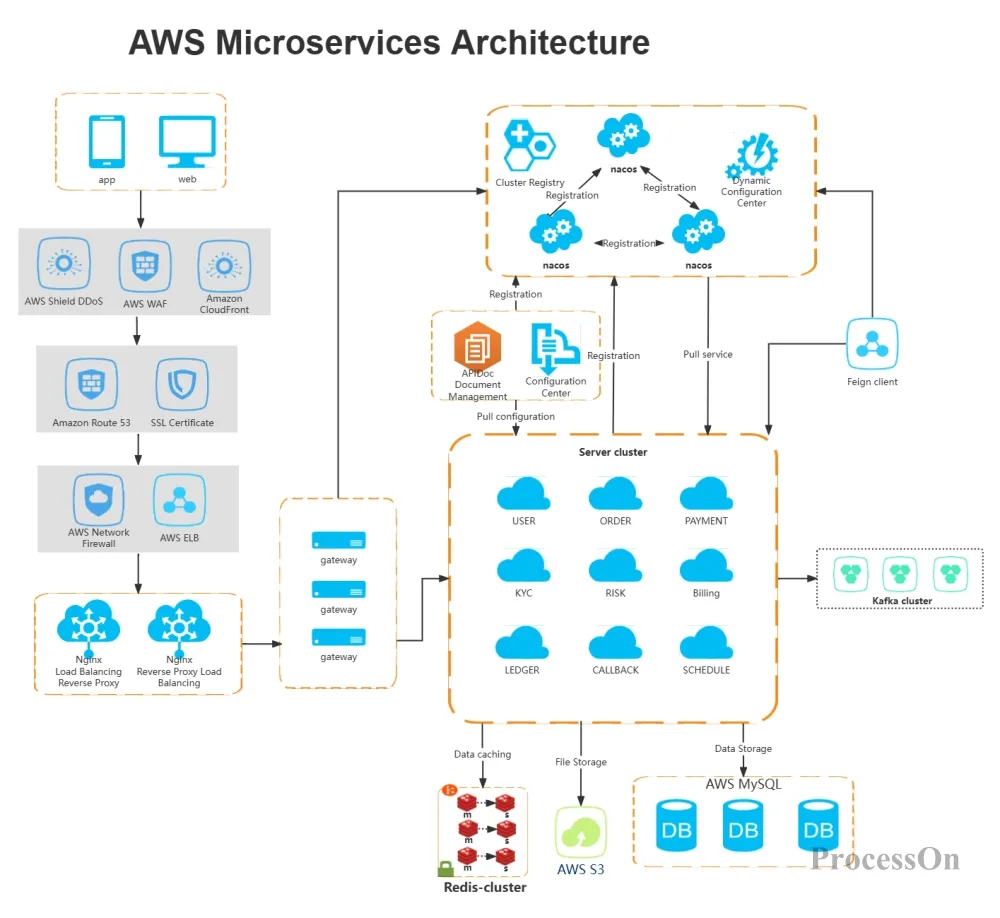
Microservices architecture diagram
Single source of truth and denormalized read models
A pattern that helps speed read paths is separation of write and read models. Writes go to a canonical store, and asynchronous processes build denormalized read views optimized for common queries. Those read views are what serve the UI, so queries are fast, predictable, and free from expensive joins at render time.
Optimizing for the common path — the information your app most often needs — yields outsized performance gains.
Event-driven updates and eventual consistency
Real-time UX often tolerates a brief inconsistency window in exchange for speed. Linear-style systems use events to propagate changes: when an issue is updated, an event triggers read-model refreshes and notifies connected clients. Clients show optimistic updates immediately and then accept the event stream as the ground truth. This reduces synchronous blocking during user actions and scales better under load.
Data Stores and Indexing
Right database, right shape
Relational databases handle transactional complexity well, but large-scale read patterns benefit from specialized stores. Using Postgres for transactional writes and a purpose-built index (search engine) for queries that power filters and full-text search keeps both sides fast. Denormalization, materialized views, and precomputed aggregates further reduce per-request work.
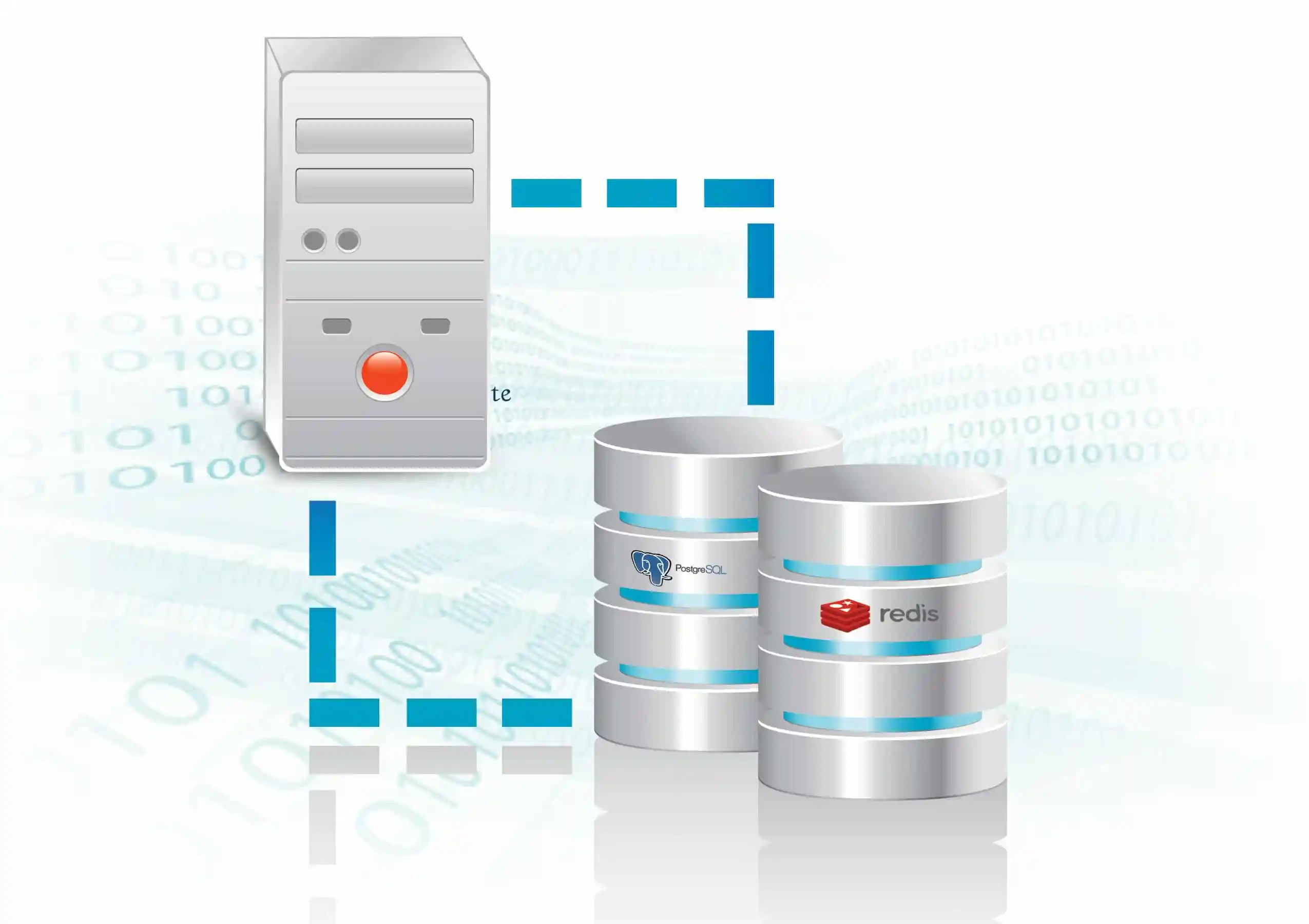
Postgres Redis databases
Caching strategy
Multiple tiers of cache shorten the distance to data: in-memory caches (Redis) for hot objects, edge caches and CDNs for static content and API responses that are safe to cache, and client-side caches for immediate access. Cache invalidation is famously hard; success comes from clear rules about mutability and TTLs, plus events to invalidate or update caches on change.
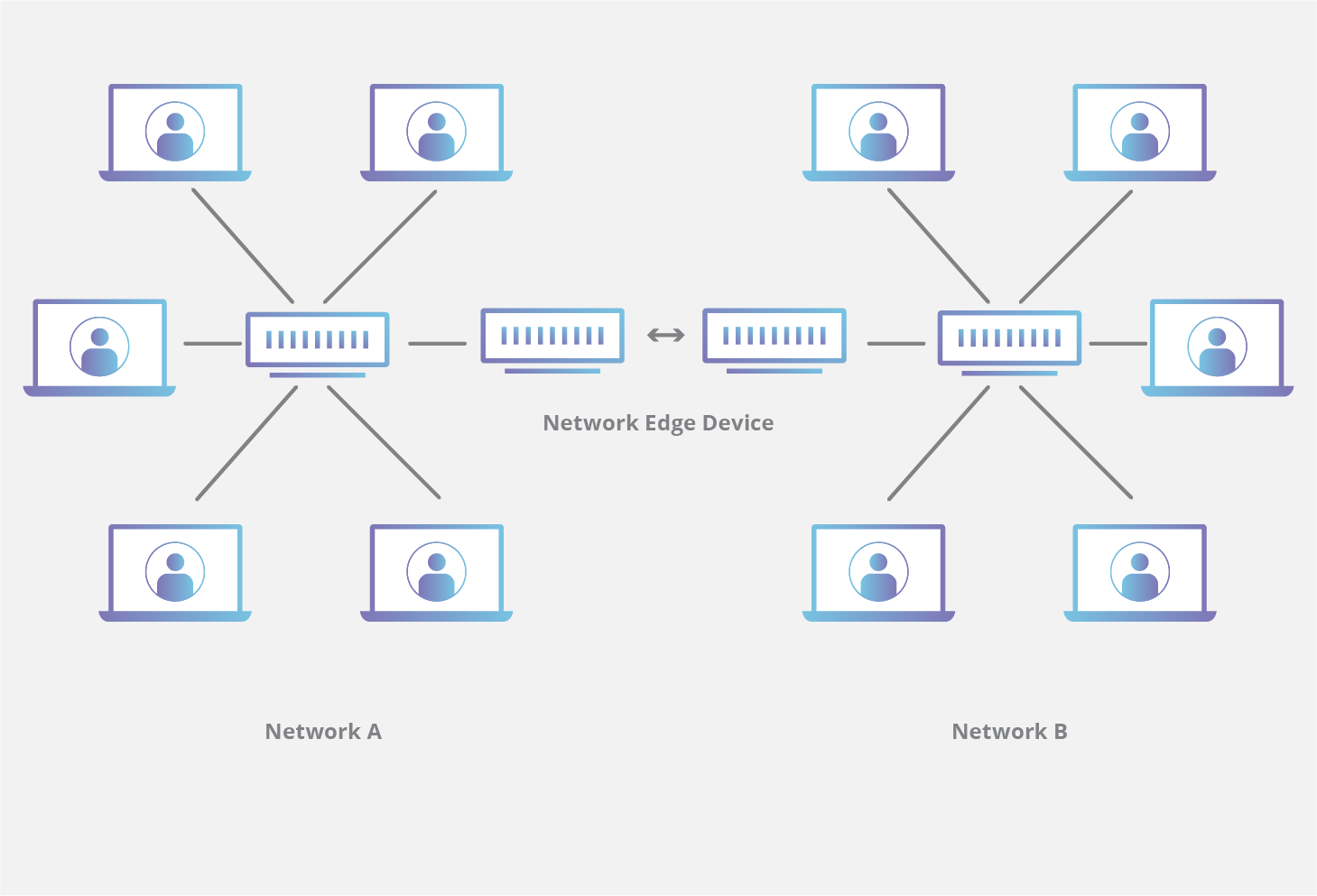
CDN edge caching network
Real-Time Sync: The Glue of Collaborativeness
Efficient subscription model
Rather than pushing every single update to all clients, efficient systems let clients subscribe to specific channels: an issue thread, a team project, or a filtered view. This reduces noise and bandwidth. When a change happens, the server fans out only to subscribed clients, often compressing updates into minimal diffs that the client can apply.
Offline-first and local-first considerations
Mobile and flaky networks necessitate resilience. Local-first strategies store a canonical copy on the device, queue changes, and apply them when connectivity returns. Conflict resolution policies — last-writer-wins, operational transforms, CRDTs — determine how divergent edits merge. For many productivity apps, simple deterministic merge rules combined with user-visible conflict resolution are practical and fast.
Observability and Continuous Optimization
Measure everything
Good tooling is essential. Latency percentiles (p50, p95, p99) reveal user experience bottlenecks more clearly than averages. Logging, distributed tracing, and synthetic checks help teams detect regressions quickly and understand the sources of latency, from DNS resolution to database query plans or long‑running GC pauses in service runtimes.
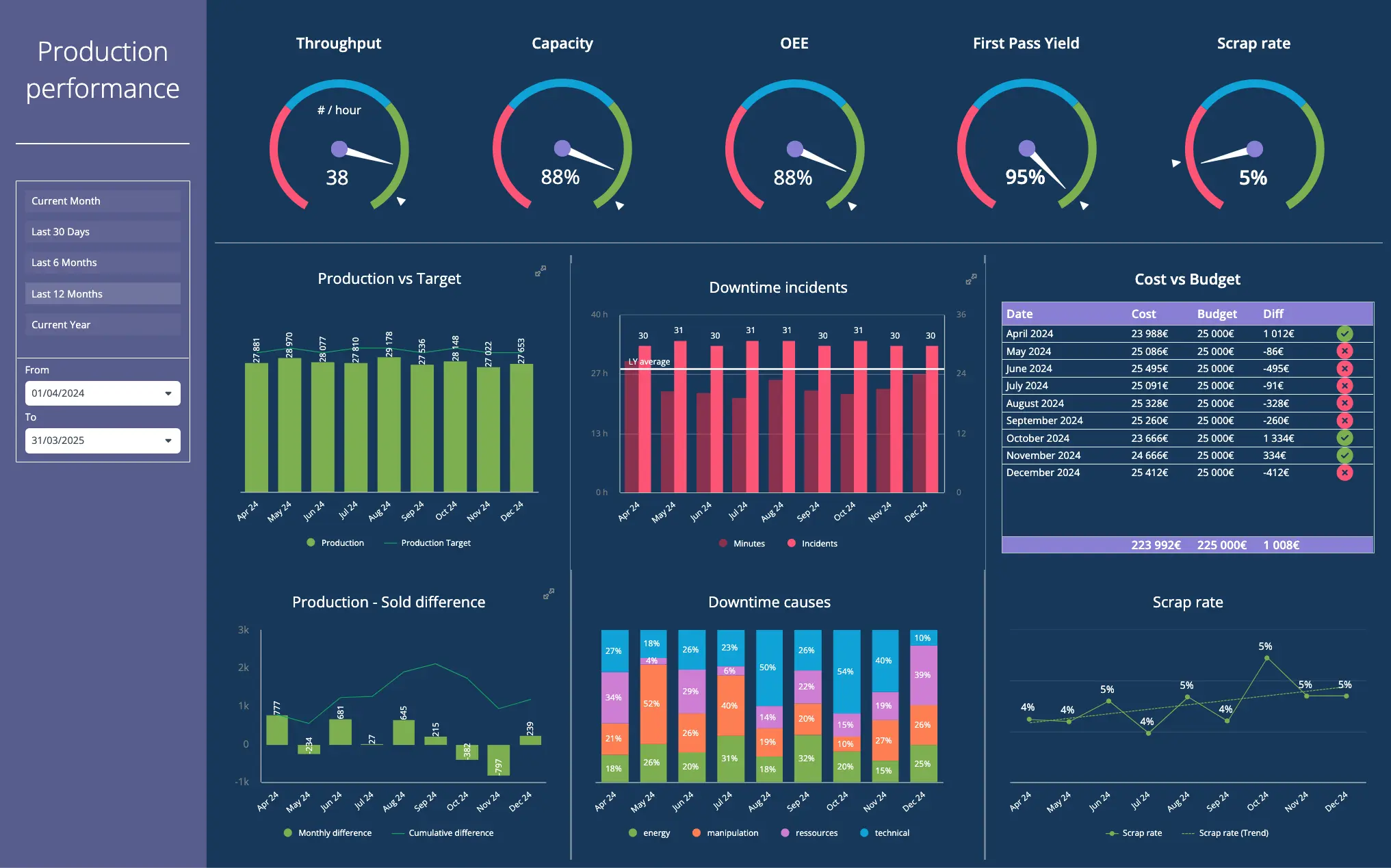
Performance monitoring dashboard
Performance budgets and CI gates
Teams that maintain speed treat it as a first-class quality. Performance budgets set limits on bundle size, request latency, and render time. CI checks fail builds that exceed budgets or introduce regressions. This cultural enforcement prevents slowdowns that are hard to unwind later.
Engineering Culture: Bias Toward Simplicity
Speed is easier to keep than to reclaim. Organizations that ship fast products embed performance into their day-to-day decisions: code reviews ask about complexity and tail latency; product planning prioritizes low-cost, high-impact fixes; and cross-functional teams keep feedback loops short between design and engineering. Rapid experiment cycles and feature flags let teams roll out changes and measure their real impact on performance and usage.
Trade-offs and Limits
No architecture buys speed for free. Optimistic updates introduce complexity: reconciliations and error states must be handled gracefully. Denormalized read models increase write-side complexity and operational surface area. Prefetching wastes resources if misapplied. Teams must balance consistency, cost, and developer velocity against the UX gains of lower latency.
Common pitfalls
- Over-optimizing before measurement: premature micro-optimizations rarely move the needle compared to fixing poorly designed APIs or missing indexes.
- Hidden long tails: optimizing p50 is affordable; p99 requires different strategies and often more investment in infrastructure and caching.
- Client complexity: an overly clever client can be hard to maintain and to reason about across versions.
A Practical Checklist to Make Apps Feel Fast
Below are practical, high-impact items teams can apply in order to improve perceived performance.
- Measure user-facing latencies: instrument p50/p95/p99 at the edge and in the client.
- Adopt optimistic UI for common actions: create, edit, reorder — only require server confirmation for destructive or irreversible actions.
- Denormalize read paths: precompute the shapes the UI needs for a single fast read.
- Use persistent connections: WebSockets or HTTP/2 for low-latency small messages.
- Implement targeted prefetching: base it on usage telemetry and keyboard-driven flows.
- Budget for p99: plan for the long tail with retries, grace, and fallback UIs.
Comparison of Approaches
When deciding between synchronous, consistent updates and optimistic, async flows, teams should weigh latency vs. correctness:
| Approach | Latency | Complexity | Best Use |
|---|---|---|---|
| Strict synchronous | Higher | Lower server-side complexity, higher UX friction | Financial transactions, immutable state |
| Optimistic async | Lowest perceived | Higher client-side complexity | Collaborative editing, issue updates |
Conclusion: Speed as a System Quality
Linear’s speed is not the result of a single trick; it is the product of many engineering choices aligned around the same goal: make the common path fast. From optimistic UI patterns to careful read-model design, from connection reuse to observability and culture, each element trims latency or reduces the number of visible steps between intent and result. For teams building fast, collaborative applications, the lesson is clear: prioritize the user’s perception, measure relentlessly, and invest where the payoff is greatest.
- Perceived speed matters as much as raw latency; optimistic UI and prefetching help deliver it.
- Separate write and read models to optimize for fast reads without sacrificing correctness.
- Real-time systems benefit from targeted subscriptions, compact diffs, and persistent connections.
- Measure p50, p95, and p99; guard performance with budgets and CI checks.
- Cultural practices — code reviews, lightweight experiments, clear ownership — keep speed sustainable.
This breakdown focuses on principles and patterns rather than a product-specific architecture diagram. Apply these ideas to your own stack and measure the user impact.